Advanced Excel Skills in Oman: A Guide for Professionals
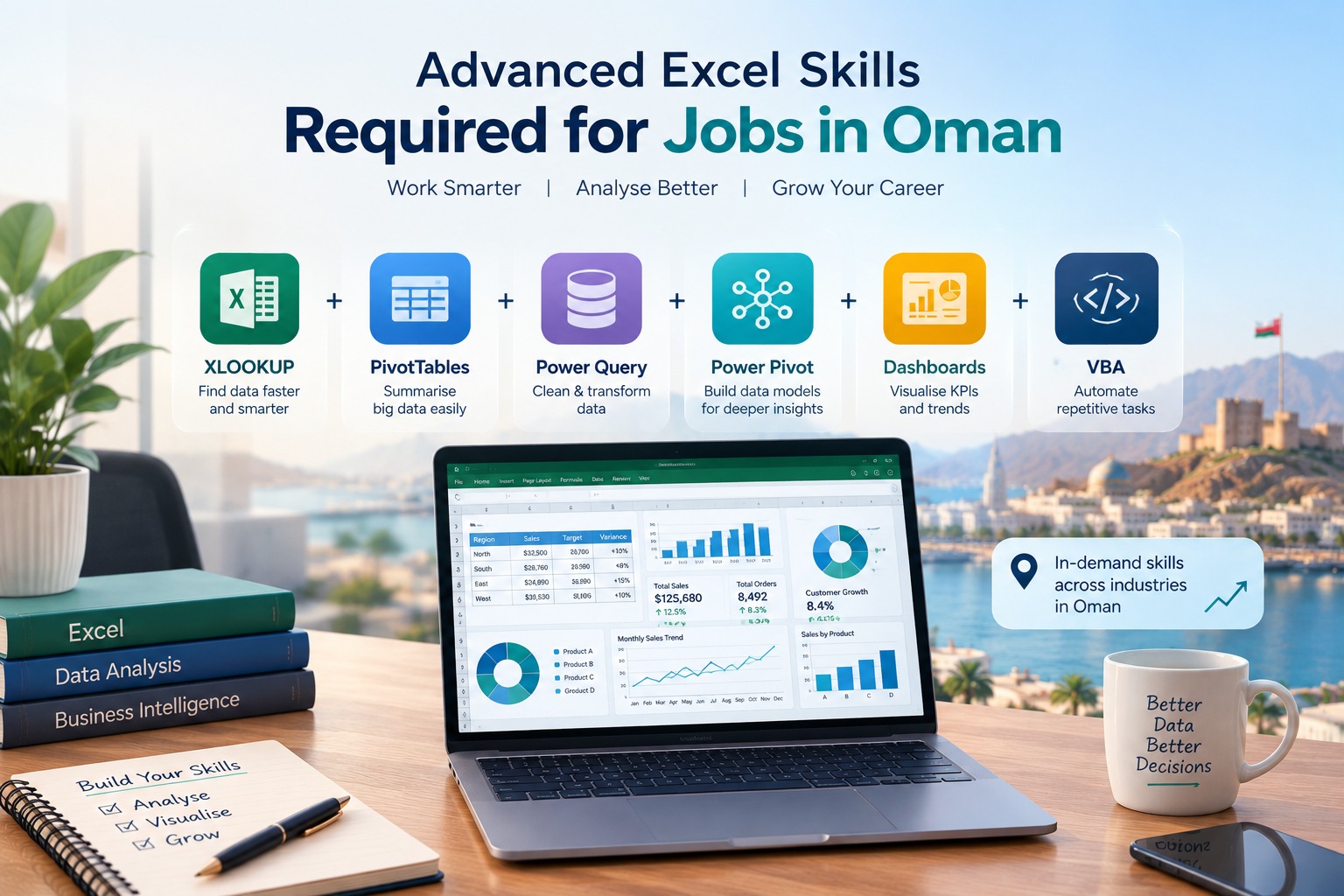
Advanced Excel skills in Oman are increasingly useful for professionals working with reporting, finance, operations, HR, procurement, sales and data analysis. The most valuable skills go beyond basic formulas and include XLOOKUP, PivotTables, Power Query, dashboards, data analysis, automation and business reporting.
Why Are Advanced Excel Skills Important in Oman?
Advanced Excel skills help professionals turn large amounts of business data into clear reports, dashboards and useful insights.
Excel remains practical because many teams still use spreadsheets for budgets, financial reports, sales tracking, inventory, project management, payroll, reconciliations and management reporting.
Oman is also investing heavily in digital transformation. The National Digital Economy Program aims to increase the contribution of the digital economy to 10% of GDP by 2040. This wider shift is increasing the importance of digital and data skills across businesses.
For professionals, this means knowing Excel as a basic spreadsheet tool is no longer enough. The ability to clean data, analyse it and present it clearly can be much more valuable.
What Advanced Excel Skills Should Professionals in Oman Learn?
The most useful Advanced Excel skills depend on your job role, but the following areas have strong workplace value.
| Skill | Practical business use |
|---|---|
| XLOOKUP / INDEX-MATCH | Finding and combining information |
| IF, IFS, AND, OR | Business rules and decision logic |
| PivotTables | Summarising large datasets |
| PivotCharts | Visual reporting |
| Power Query | Cleaning and transforming data |
| Dashboards | KPI and management reporting |
| Conditional Formatting | Highlighting trends and exceptions |
| What-If Analysis | Planning and scenarios |
| Power Pivot | Working with larger data models |
| Macros / VBA | Automating repetitive tasks |
The important point is not simply knowing these features. Professionals should know when and why to use them.
1. Advanced Excel Formulas
Formulas are still at the centre of professional Excel work.
Functions such as XLOOKUP, INDEX, MATCH, SUMIFS, COUNTIFS, IF, IFS, AND and OR can help professionals build more reliable reports and automate routine calculations.
For example, a finance professional may use XLOOKUP to match invoice information with a supplier database, while an HR professional may use SUMIFS to calculate department-level payroll costs.
What should you learn?
- XLOOKUP
- INDEX and MATCH
- SUMIFS and COUNTIFS
- IF and IFS
- Nested formulas
- Error handling
- Date and text functions
- Dynamic formulas
2. PivotTables and Data Analysis
PivotTables allow professionals to summarise large datasets without manually calculating every result.
A sales manager could use a PivotTable to compare revenue by region, product or month. An operations team could use it to review inventory, orders or project performance.
Practical tip: Learn PivotTables together with PivotCharts, slicers and proper data structure. This makes analysis much easier to turn into a useful dashboard.
3. Power Query for Data Cleaning
Power Query is one of the most useful Excel skills for professionals who work with recurring reports.
Instead of repeatedly cleaning the same files manually, Power Query can help import, transform, combine and refresh data.
For example:
Raw Excel files → Power Query → Clean data → Report → Dashboard
This can be useful for finance, MIS, HR, procurement, logistics and operations teams.
4. Excel Dashboards and KPI Reporting
A professional Excel dashboard should answer business questions quickly.
A good dashboard might show:
- Revenue
- Sales growth
- Monthly performance
- Expenses
- Inventory
- Customer numbers
- Target vs actual
- Department KPIs
The goal is not to add as many charts as possible. The goal is to make important information easier to understand.
5. Excel Automation
Many professionals spend time repeating the same spreadsheet tasks every week or month.
Advanced Excel can reduce this repetitive work through:
- Power Query
- Templates
- Structured formulas
- Macros
- VBA
- Automated report preparation
You do not always need advanced programming. Even simple automation can reduce repetitive manual work.
Which Professionals in Oman Can Benefit from Advanced Excel?
Advanced Excel is useful across many business functions.
| Role | Useful Excel applications |
|---|---|
| Finance & Accounting | Budgeting, reconciliation, financial reporting |
| HR & Payroll | Employee data, payroll reports, workforce analysis |
| Sales | Sales tracking, targets, customer analysis |
| Procurement | Supplier comparison, purchase tracking |
| Logistics | Inventory, shipment and delivery reports |
| Operations | KPI tracking, performance reports |
| Project Teams | Cost, timeline and resource tracking |
| MIS / Analysts | Data cleaning, reporting and dashboards |
| Marketing | Campaign and customer analysis |
Recent Oman job listings also show this practical demand. For example, a Data Analyst position in Muscat specifically listed advanced Excel skills including VLOOKUP, PivotTables, Power Query, INDEX/MATCH and Macros. Another Oman role listed Excel alongside Power Query, Power Pivot, Power BI, SQL and data visualisation.
This shows an important shift: employers may not want “Excel knowledge” alone. They increasingly want professionals who can use Excel for analysis and reporting.
Advanced Excel vs Basic Excel
| Basic Excel | Advanced Excel |
|---|---|
| Data entry | Data analysis |
| Basic formatting | Structured reporting |
| Simple formulas | Advanced formulas |
| Simple charts | Interactive dashboards |
| Manual calculations | Automated calculations |
| Basic sorting/filtering | Power Query and advanced analysis |
| Individual files | Repeatable reporting workflows |
If your work involves regular reports, large datasets or management dashboards, moving beyond basic Excel can make a significant difference.
Excel, Power Query, Power BI and SQL: What Should You Learn?
Professionals often ask whether they should learn Excel, Power BI or SQL.
The answer depends on the work you want to do.
| Skill | Best suited for |
|---|---|
| Excel | Everyday business analysis and reporting |
| Power Query | Data cleaning and transformation |
| Power BI | Interactive dashboards and BI |
| SQL | Working with database data |
| Python | Advanced analysis and automation |
A practical progression can be:
Excel → Power Query → Power BI → SQL → Python
You do not need to master everything at once. Start with the tools that match your current role.
How Advanced Excel Supports Oman's Digital Transformation
Oman Vision 2040 includes digital transformation, economic diversification and the development of national capabilities.
The Government Digital Transformation Program focuses on improving productivity and using advanced technologies, while the National Employment Program aims to help address knowledge and skill gaps in the labour market.
Oman's 2023 Vision 2040 reporting also recorded 272 million electronic transactions through the government integration platform and reported that 4,864 Omani youth had been qualified through five digital-skills tracks.
These numbers show the scale of the country's wider digital transformation.
Advanced Excel is only one part of this ecosystem, but it provides a practical foundation for professionals who work with business data every day.
How to Build Advanced Excel Skills
A simple learning roadmap can look like this:
Step 1: Strengthen Excel fundamentals
Make sure you are comfortable with tables, sorting, filtering, formulas and data organisation.
Step 2: Learn advanced formulas
Move into XLOOKUP, INDEX-MATCH, SUMIFS, COUNTIFS and logical functions.
Step 3: Master PivotTables
Learn how to summarise, filter and visualise business data.
Step 4: Learn Power Query
Use it to clean, combine and transform recurring datasets.
Step 5: Build dashboards
Create KPI dashboards that answer real business questions.
Step 6: Add automation
Explore templates, macros and basic VBA where automation can save time.
Step 7: Work on real projects
Build reports around sales, finance, HR, inventory or operations instead of only following isolated tutorials.
Common Advanced Excel Mistakes
Even experienced Excel users can create inefficient workbooks.
Avoid these common problems:
- Using too many nested formulas
- Keeping duplicate versions of the same data
- Manually cleaning recurring reports
- Building dashboards without clear KPIs
- Using merged cells inside datasets
- Ignoring data validation
- Creating unnecessarily complex VBA
- Not documenting important formulas
- Using Excel when a database or BI tool would be more appropriate
The best Excel users do not simply know more functions. They know how to build clean, reliable and reusable solutions.
What Should You Look for in an Advanced Excel Course in Oman?
If you are comparing Advanced Excel training in Oman, do not choose a course only because it lists many topics.
Look for:
- Advanced formulas
- XLOOKUP and lookup techniques
- PivotTables and PivotCharts
- Power Query
- Dashboard development
- Real business datasets
- Reporting projects
- Automation
- Trainer support
- Practice files
- Certificate options
- Corporate training support
- Flexible online or classroom delivery
A practical project is often more useful than learning 50 Excel functions without knowing how to apply them.
Frequently Asked Questions
Is Advanced Excel useful for jobs in Oman?
Yes. Advanced Excel can be useful in finance, accounting, HR, sales, operations, logistics, procurement and analyst roles. Current Oman job listings show employers asking for Excel along with skills such as Power Query, Power Pivot, Power BI and data analysis.
What are the most important Advanced Excel skills?
The most useful skills include XLOOKUP, INDEX-MATCH, SUMIFS, PivotTables, Power Query, dashboards, data validation, What-If Analysis and automation using macros or VBA.
Is Excel still relevant when companies use Power BI?
Yes. Excel and Power BI often work together. Excel remains useful for detailed spreadsheet analysis and business tasks, while Power BI is designed for interactive business intelligence and dashboard reporting.
Should I learn Power BI or Advanced Excel first?
For many professionals who work heavily with spreadsheets, Advanced Excel is a practical starting point. Once you understand data structure, formulas, reporting and analysis, moving into Power BI becomes easier.
Is Power Query part of Advanced Excel?
Yes. Power Query is an important Excel tool for importing, cleaning, transforming and combining data. It is particularly useful when professionals need to repeat the same data-cleaning process regularly.
Can finance professionals benefit from Advanced Excel?
Yes. Finance teams commonly use Excel for budgeting, forecasting, reconciliations, financial analysis, variance reporting and management reports.
Can HR professionals use Advanced Excel?
Yes. HR teams can use Advanced Excel for payroll analysis, employee databases, attendance summaries, recruitment trackers, workforce reports and HR dashboards.
Can Excel help data analysts in Oman?
Yes. Excel can be one part of a broader data-analytics toolkit. Data analysts may combine Excel with Power Query, Power BI, SQL and Python depending on the role.
How long does it take to learn Advanced Excel?
The time depends on your current level and how regularly you practise. A professional who already knows basic Excel can focus on formulas, PivotTables, Power Query, dashboards and automation through a structured learning plan.
Is a certificate enough to prove Excel skills?
A certificate can show course completion, but practical ability matters more. Employers may value your ability to build reports, clean data, analyse information and solve real business problems.
Where can I learn Advanced Excel in Oman?
Professionals can compare live online, classroom and corporate Advanced Excel training options based on syllabus, practical projects, trainer support, duration and cost.
Final Takeaway
Advanced Excel skills in Oman are no longer limited to knowing formulas. Professionals who can clean data, analyse information, build dashboards and automate repetitive reporting can use Excel much more effectively in modern workplaces.
A strong learning path is:
Advanced Excel → Power Query → Power BI → SQL → Advanced Analytics
If your current work involves reports, dashboards, finance, HR, sales, procurement, logistics or business analysis, improving your Excel skills can be a practical step toward stronger data and reporting capability.
This topic is covered in the Advanced Excel course. Sessions are live, practical and taught with real business data — a natural next step if this article matches what you are working on.