What Is Microsoft Office Certification and How Do You Get It?
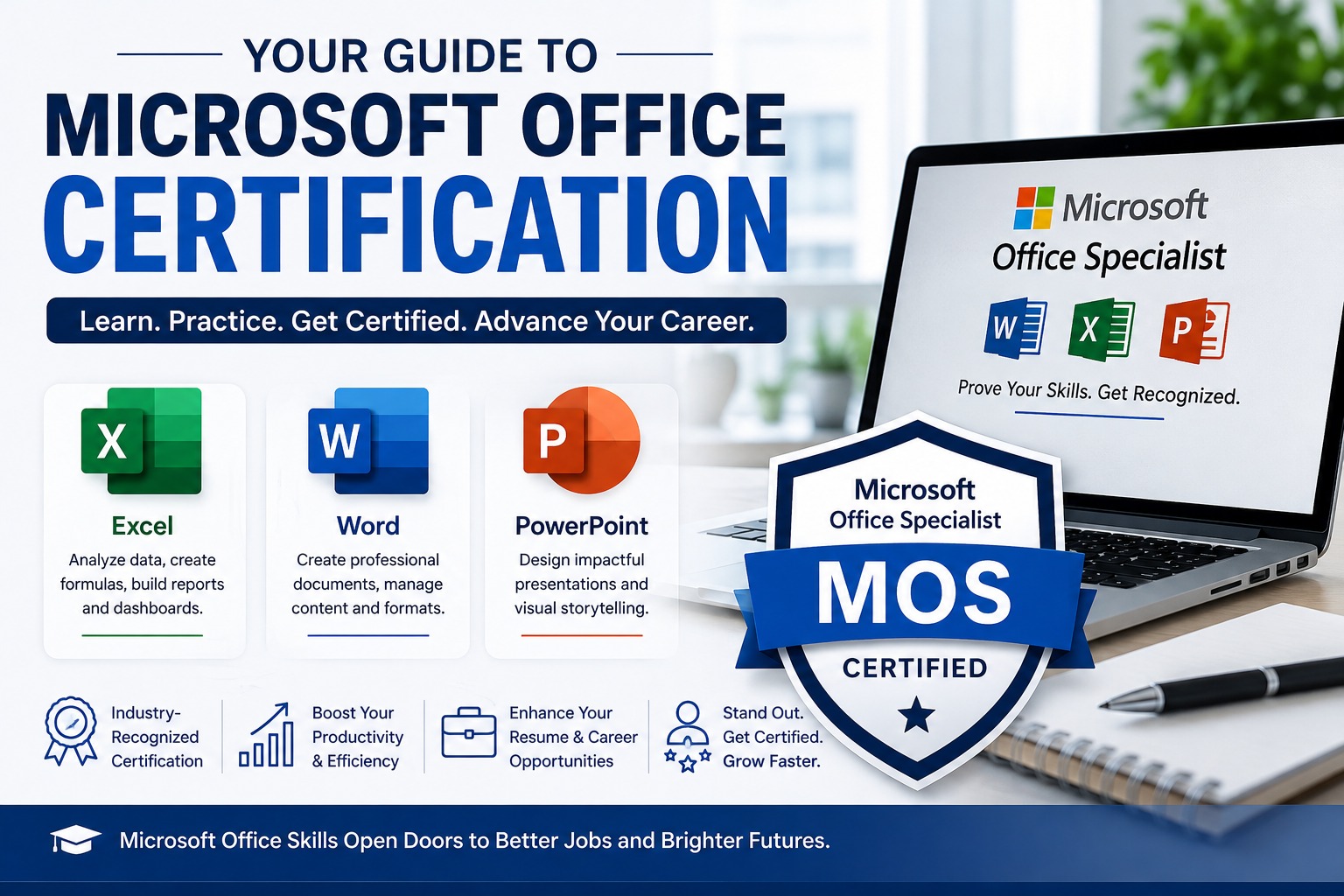
Microsoft Office certification validates your ability to use Microsoft Office applications such as Excel, Word and PowerPoint. The Microsoft Office Specialist (MOS) program offers application-specific certifications, with Associate and Expert pathways depending on the Microsoft Office version and your skill level.
If you use Microsoft Office at work, learning Excel, Word or PowerPoint can improve your productivity. But if you want formal proof of your skills, you may be considering a Microsoft Office certification.
The Microsoft Office Specialist (MOS) program is Microsoft's certification pathway for Office skills. The current Microsoft 365 Apps pathway includes certifications for applications such as Excel, Word and PowerPoint, while Office 2019 certifications are also available.
For many professionals, Microsoft Excel certification is a practical starting point because Excel is widely used for reporting, finance, operations, business analysis and data-related work.
What Is Microsoft Office Certification?
Microsoft Office certification is a professional credential that validates your ability to use Microsoft Office applications. Instead of simply stating that you know Excel or Word on your resume, you can demonstrate your skills through a standardized Microsoft certification exam.
The Microsoft Office Specialist (MOS) program focuses on practical application skills. Depending on the certification, you may be assessed on tasks such as managing workbooks, creating formulas, formatting data, building charts or creating professional documents.
Microsoft classifies MOS certifications under the Business User role. Current Microsoft 365 Apps certifications include application-specific Associate and Expert credentials.
What Is Microsoft Office Specialist (MOS)?
Microsoft Office Specialist, or MOS, is Microsoft's certification program for demonstrating proficiency in Office applications. Candidates take exams that assess their ability to perform practical tasks in applications such as Excel, Word and PowerPoint.
This is different from completing an Excel or Microsoft Office training course.
A training provider may give you a certificate for completing a course. A MOS credential is earned by passing the relevant certification exam.
That difference can matter when an employer wants evidence of your actual application skills.
Which Microsoft Office Certifications Are Available?
The best certification depends on the Microsoft application you use and the type of work you want to do.
| Application | Useful for |
|---|---|
| Microsoft Excel | Data analysis, finance, reporting, MIS, operations |
| Microsoft Word | Documentation, reports, administration |
| Microsoft PowerPoint | Presentations, sales, training |
| Microsoft Outlook | Business communication and scheduling |
| Microsoft Access | Database-related tasks |
For most business and analytics professionals, Excel is one of the strongest options to consider first.
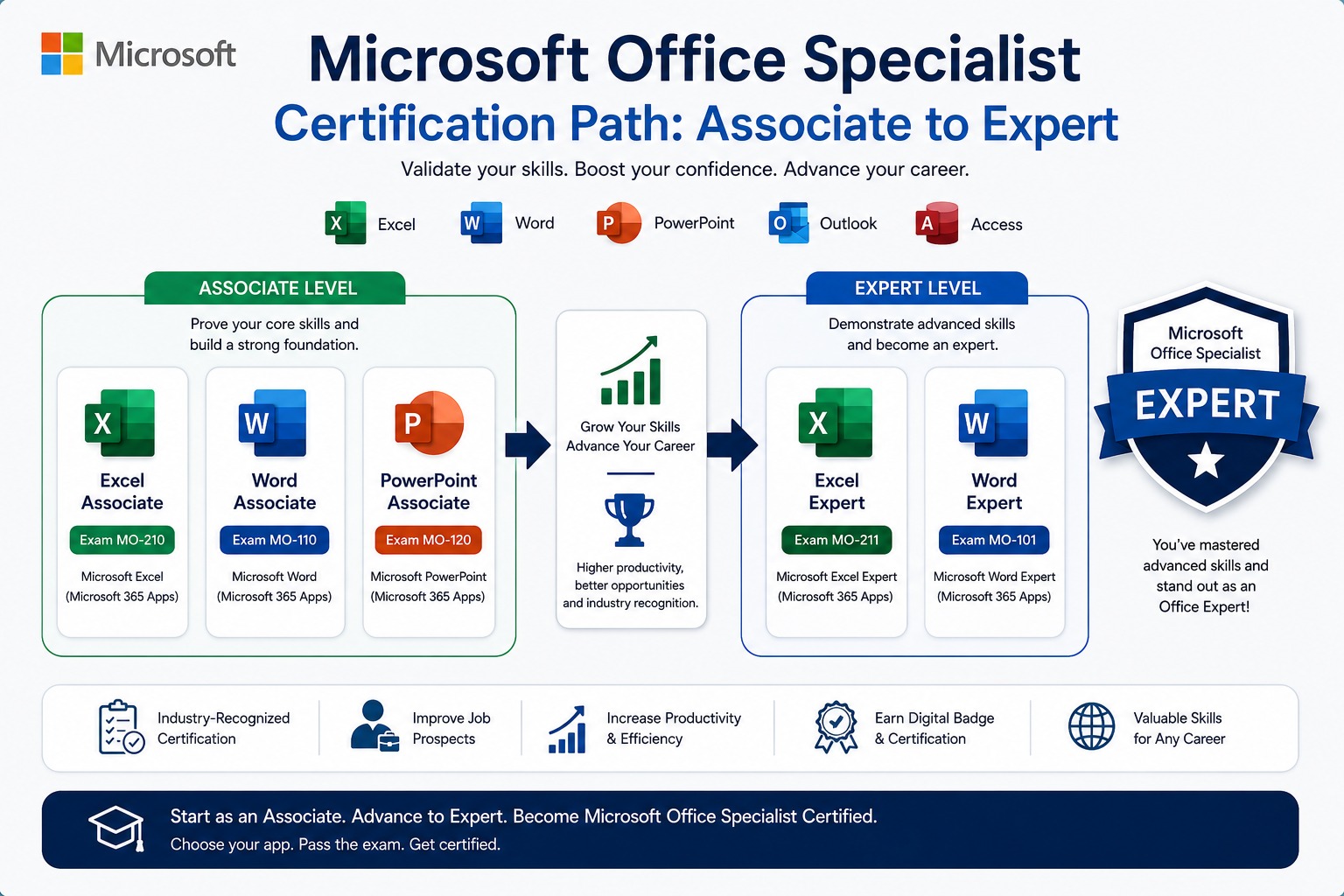
Microsoft's current Microsoft 365 Apps MOS Associate pathway includes Word, Excel and PowerPoint exams. The broader Associate credential requires passing three exams in different programs, with at least one Microsoft 365 Apps exam.
What Are the Microsoft Office Certification Levels?
The current Microsoft 365 Apps MOS pathway includes Associate and Expert certifications. The Associate credential demonstrates competency across multiple Office programs, while the Expert credential validates advanced skills and is the highest certification within the MOS program.
Microsoft Office Specialist Associate
The Microsoft Office Specialist: Associate certification demonstrates competency across multiple Office applications.
For the current Microsoft 365 Apps pathway, candidates need to pass three exams in different programs, with at least one Microsoft 365 Apps exam. Available exams include Microsoft Word, Excel and PowerPoint, with additional Office 2019 exams listed in the certification pathway.
Microsoft Office Specialist Expert
The Microsoft Office Specialist: Expert certification is the highest certification within the current MOS program.
To earn it, candidates first need the MOS Associate certification and then must pass two Expert exams in different programs, with at least one being a Microsoft 365 Apps Expert exam.
Associate vs Expert
| Feature | Associate | Expert |
|---|---|---|
| Skill level | Intermediate | Advanced |
| Focus | Core Office skills | Advanced Office skills |
| Programs | Multiple Office applications | Advanced application skills |
| Best for | Building professional proficiency | Demonstrating advanced expertise |
| Current MOS pathway | Microsoft 365 Apps | Microsoft 365 Apps |
| Prerequisite | None for Associate | Associate certification |
What Is Microsoft Excel Certification?
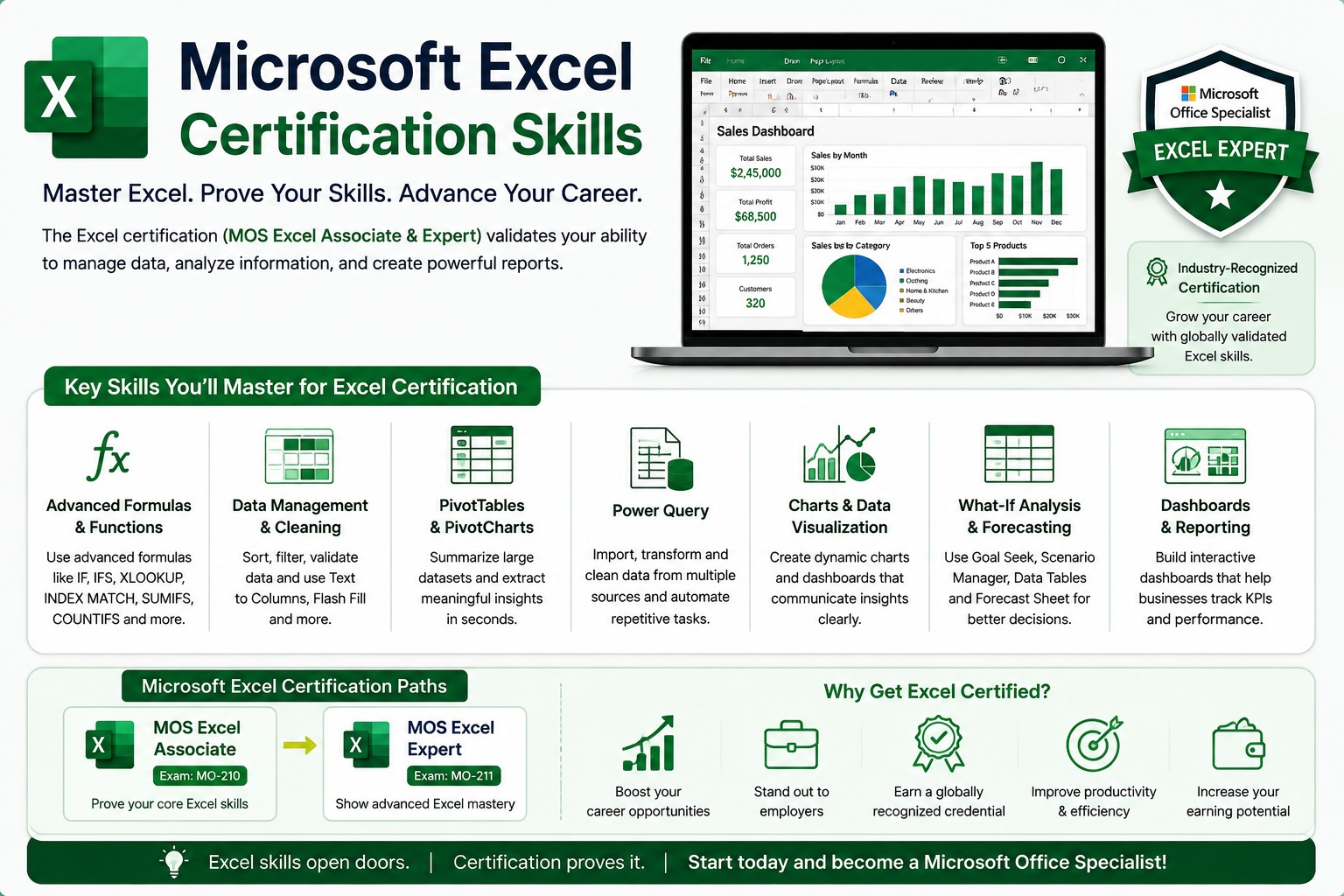
Microsoft Excel certification validates your ability to use Excel for professional tasks such as managing worksheets, working with data, applying formulas and creating charts. Microsoft offers both Excel Associate and Excel Expert certifications for Microsoft 365 Apps.
For someone searching for Excel certification, it is important to distinguish between the Associate and Expert exams.
Microsoft Excel Associate
The current Microsoft 365 Apps Excel Associate exam is MO-210.
It assesses skills including:
- Managing worksheets and workbooks
- Managing cells and ranges
- Managing tables and table data
- Using formulas and functions
- Managing charts
Microsoft says candidates should have approximately 150 hours of instruction and hands-on experience with the product and be ready to demonstrate industry-level Associate proficiency. The exam is 50 minutes and is proctored.
Microsoft Excel Expert
The current Microsoft 365 Apps Excel Expert exam is MO-211.
It focuses on advanced Excel skills, including:
- Managing workbook options and settings
- Managing and formatting data
- Creating advanced formulas and macros
- Managing advanced charts and tables
Microsoft recommends approximately 150 hours of instruction and hands-on experience for candidates preparing at the Expert level. The exam is 50 minutes and is proctored.
Excel Associate vs Excel Expert: Which Should You Choose?
Choose Excel Associate if you are building professional Excel skills, and consider Excel Expert if you already work confidently with advanced Excel features.
| Excel Associate | Excel Expert | |
|---|---|---|
| Exam | MO-210 | MO-211 |
| Level | Intermediate | Advanced |
| Formulas | Core formulas/functions | Advanced formulas |
| Data | Cells, ranges, tables | Advanced data management |
| Charts | Standard charts | Advanced charts |
| Macros | Not a primary exam area | Included |
| Exam duration | 50 minutes | 50 minutes |
| Best for | Developing Excel proficiency | Advanced Excel users |
The official exam objectives should always be your final reference because exam content can change.
How Do You Get Microsoft Office Certification?
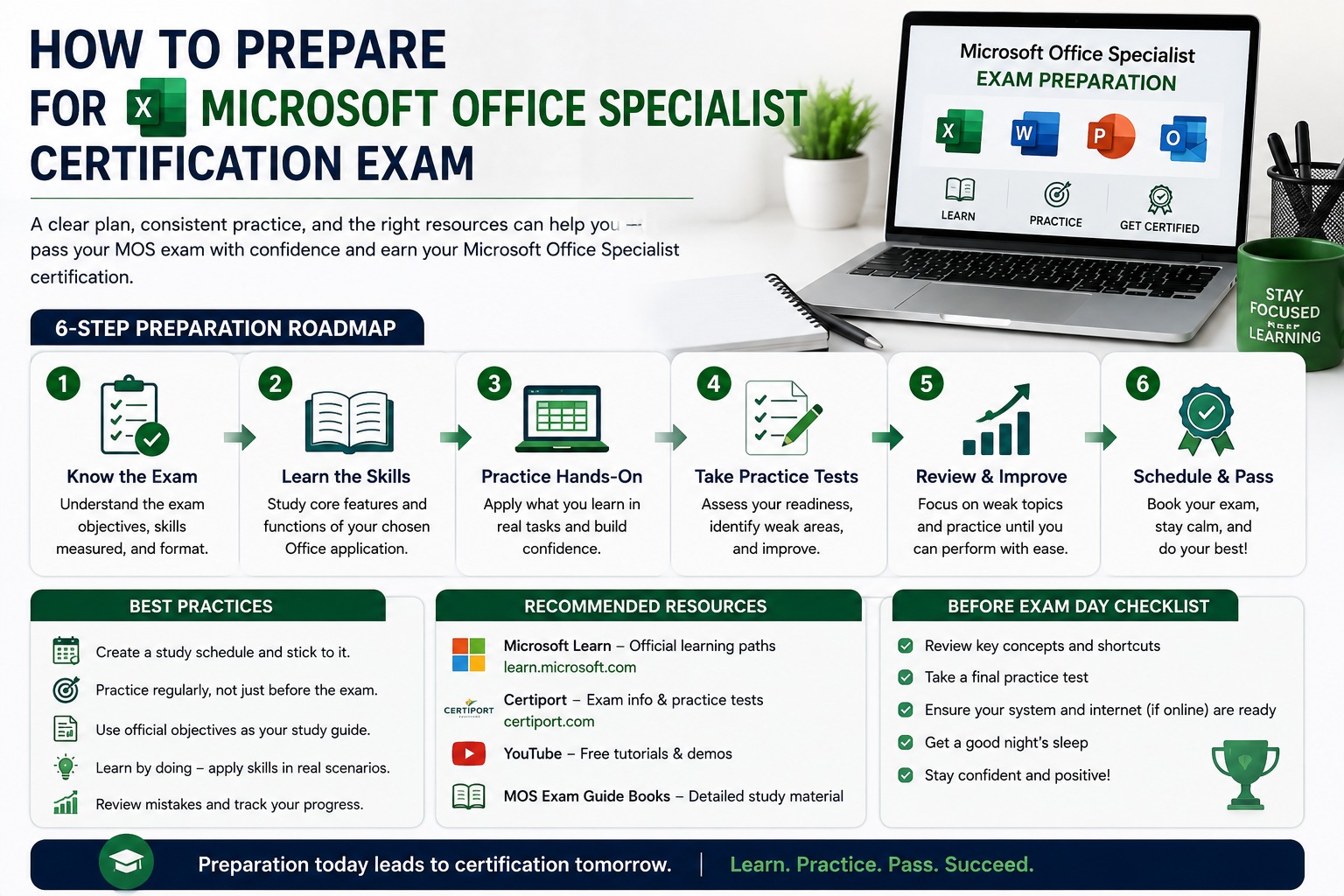
You get Microsoft Office certification by selecting the appropriate MOS exam, preparing for its objectives and passing the proctored certification exam.
A practical process looks like this:
1. Choose the application
Decide whether your career requires:
- Excel
- Word
- PowerPoint
- Another supported Office application
2. Choose your certification level
If you're developing your skills, start with the appropriate Associate-level certification.
If you already have strong application skills, an Expert-level certification may be more suitable.
3. Check the exam version
Microsoft has certification pathways for Microsoft 365 Apps and Office 2019.
Don't rely on an old blog post when choosing an exam. Always check the current Microsoft certification page before registering.
For example, Microsoft currently lists MO-210 for Excel Microsoft 365 Apps Associate and MO-211 for Excel Microsoft 365 Apps Expert.
4. Review the exam objectives
Read the official skills outline before you start preparing.
This tells you exactly which areas you need to practice.
5. Build practical skills
Don't prepare only by memorizing questions.
Open Excel and actually complete tasks such as:
- Creating reports
- Managing data
- Using formulas
- Creating tables
- Building charts
- Analysing business information
6. Take practice tests
Practice helps you identify weak areas and become comfortable completing tasks within the exam environment.
7. Register for the exam
Use Microsoft's current certification and testing process to schedule the appropriate exam.
8. Take the exam
MOS exams are proctored and include practical assessment components depending on the exam. Microsoft currently lists a 50-minute duration for the Excel Associate and Excel Expert exams.
How Much Does Microsoft Office Certification Cost?
Microsoft Office certification exam pricing depends on the country or region where the exam is taken. Microsoft currently displays a base price of $100 USD for several MOS exams, but the final amount can vary by region and applicable taxes.
For candidates in India, don't simply convert $100 into rupees and assume that is the final price.
Check Microsoft's current exam page and registration process before booking because pricing can change.
Do You Need a Course to Get Microsoft Office Certification?
No, completing a training course is not a mandatory requirement for taking a MOS exam. You can prepare through self-study, practical experience or structured instructor-led training.
However, structured training can be useful if you are a beginner or if you want to learn professional workflows instead of only preparing for the exam.
A good approach is:
Learn → Practice → Build real projects → Test yourself → Take the certification exam
This helps you develop skills that remain useful even after the exam.
Can Beginners Get Microsoft Office Certification?
Yes, beginners can work toward Microsoft Office certification, but they should first build a solid foundation in the application.
For example, someone new to Excel should first understand:
- Worksheets and workbooks
- Cell references
- Basic formulas
- Formatting
- Tables
- Charts
- Data organization
After that, they can progress toward advanced formulas, PivotTables, Power Query, dashboards and automation based on their career goals.
These professional skills are useful beyond the MOS exam, even when a particular feature is not part of the official exam objectives.
How Long Does It Take to Prepare for Microsoft Office Certification?
Preparation time depends on your current skill level, the application and the certification level. Microsoft itself recommends approximately 150 hours of instruction and hands-on experience for candidates preparing for its current Excel Associate and Expert certifications, but that is guidance rather than a fixed preparation timeline.
A practical preparation plan could look like this:
| Current level | Practical approach |
|---|---|
| Complete beginner | Learn fundamentals first |
| Basic Excel user | Build core skills + practice |
| Intermediate user | Focus on exam objectives |
| Advanced user | Identify exam gaps + practice |
The important point is not simply how many days you study.
It's whether you can perform the required tasks confidently without help.
What Skills Should You Learn Alongside Excel Certification?
Excel certification validates specific Excel skills, but professional Excel users often need a broader set of workplace skills.
Depending on your career, you may also benefit from learning:
- Advanced formulas
- PivotTables
- Data cleaning
- Power Query
- Dashboard creation
- Data visualization
- Excel automation
- Microsoft Copilot
- SQL
- Power BI
For example, someone targeting a Data Analyst role could build a broader skill path:
Excel → SQL → Power BI → Python
This gives you a stronger foundation than learning Excel certification topics alone.
Is Microsoft Office Certification Worth It?
Microsoft Office certification can be worth it if you need independent proof of your Office skills and the application is relevant to your target job. It is especially useful when combined with practical experience, projects and other job-relevant skills.
For example:
Finance professional: Excel + financial reporting + certification
Operations professional: Excel + MIS reporting + automation
Data analyst: Excel + SQL + Power BI + analytics projects
Administrative professional: Word + Excel + business communication
The certificate should support your skills — not replace them.
Microsoft Office Certification vs Course Certificate
A MOS certification and a training course certificate are not the same thing. A course certificate generally confirms that you completed training, while MOS requires you to pass a standardized Microsoft certification exam.
| Course Certificate | MOS Certification | |
|---|---|---|
| Main purpose | Shows training completion | Validates application skills |
| Issued by | Training provider | Microsoft certification program |
| Assessment | Depends on provider | Standardized certification exam |
| Practical focus | Depends on course | Exam-specific tasks |
| Best use | Learning + completion proof | External skills validation |
For career growth, you don't necessarily have to choose one over the other.
Training can help you build the skills; certification can help you validate them.
How Should You Prepare for Microsoft Excel Certification?
The best way to prepare is to combine structured learning with hands-on practice.
For Excel, use this preparation framework:
Learn the fundamentals
Understand worksheets, workbooks, cells, ranges, tables, formulas and charts.
Practice with real data
Don't practice only with artificial examples.
Use realistic datasets such as:
- Sales data
- Employee records
- Inventory
- Expenses
- Customer data
- Monthly performance reports
Build small projects
For example:
Sales Report → Data Cleaning → PivotTable → Charts → Dashboard
This develops practical skills while improving your confidence.
Review the official objectives
Before the exam, compare your skills with Microsoft's current exam outline.
This is particularly important because the skills assessed in MO-210 and MO-211 are different.
Common Mistakes to Avoid
Choosing an outdated exam
Microsoft's certification pathways can change. Always check the current Microsoft Learn page.
Studying only theory
MOS exams assess practical application skills.
Confusing training with certification
Completing an Excel course does not automatically mean you have a Microsoft certification.
Choosing Expert too early
If your Excel foundation is weak, start by developing the skills required for Associate-level proficiency.
Learning only for the exam
Your goal should be to become better at Excel, not simply to pass one test.
Is Microsoft Office Certification Useful for Jobs?
Microsoft Office certification can strengthen your professional profile when Office skills are important to the role. It is particularly relevant to positions involving Excel-based reporting, administration, finance, operations and business data.
But employers usually look beyond certification.
A stronger profile combines:
Certification + practical skills + projects + experience + communication
For an aspiring analyst, for example, an Excel certification can be one part of a larger data-skills portfolio rather than the complete qualification.
Frequently Asked Questions
What is Microsoft Office certification?
Microsoft Office certification is a credential that validates skills in Microsoft Office applications through standardized certification exams.
What is Microsoft Office Specialist?
Microsoft Office Specialist, or MOS, is Microsoft's certification program for demonstrating proficiency in Office applications.
Is Microsoft Office certification worth it?
It can be valuable when you need formal proof of your Office skills, particularly when those skills are relevant to your target role.
Which Microsoft Office certification is best?
It depends on your career. Excel is a practical choice for professionals working in finance, reporting, operations and analytics.
What is the Microsoft Excel certification exam?
The current Microsoft 365 Apps Excel pathway includes MO-210 Excel Associate and MO-211 Excel Expert.
What is the difference between MO-210 and MO-211?
MO-210 is the Excel Associate exam, while MO-211 is the Excel Expert exam. MO-211 focuses on more advanced Excel capabilities, including advanced formulas, macros, data management, charts and tables.
How much does Microsoft Office certification cost?
Microsoft currently displays $100 USD as the base price for several MOS exams, but pricing depends on the country or region and applicable taxes.
Do I need a degree for Microsoft Office certification?
A degree is not the main requirement for taking an individual MOS exam. The certification focuses on demonstrated Office application skills.
Can beginners get Microsoft Office certification?
Yes. Beginners can prepare for certification by building foundational skills and gradually progressing to the required exam level.
How long does Microsoft Excel certification take?
Preparation time varies. Microsoft recommends approximately 150 hours of instruction and hands-on experience for candidates preparing for its current Excel Associate and Expert certifications.
Is an Excel course certificate the same as MOS certification?
No. A course certificate generally demonstrates completion of training, while MOS certification requires passing Microsoft's certification examination.
Can Microsoft Office certification help me get a job?
It can strengthen your profile by providing evidence of Office skills, but certification works best alongside practical experience and job-specific skills.
Final Takeaway
Microsoft Office certification is valuable when it supports a real career goal.
If you use Excel every day, don't focus only on getting a certificate. Build the ability to analyse data, create reports, automate repetitive work and communicate insights clearly.
For someone starting a career in business or analytics, a practical progression could be:
Excel → Advanced Excel → SQL → Power BI → Python
And if you want formal validation of your Excel skills, you can then consider the appropriate Microsoft Office Specialist certification.
For structured, practical Excel training, you can explore TechnoExcel's Advanced Excel training and build skills through real business-oriented exercises rather than exam preparation alone.
This topic is covered in the Advanced Excel with AI course. Sessions are live, practical and taught with real business data — a natural next step if this article matches what you are working on.