What Is Microsoft Excel Certification and How Do You Get It?
Microsoft Excel certification validates your ability to use Excel for professional tasks. The current Microsoft 365 Apps pathway includes Microsoft Office Specialist: Excel Associate (MO-210) and Excel Expert (MO-211), with different skill levels and exam objectives.
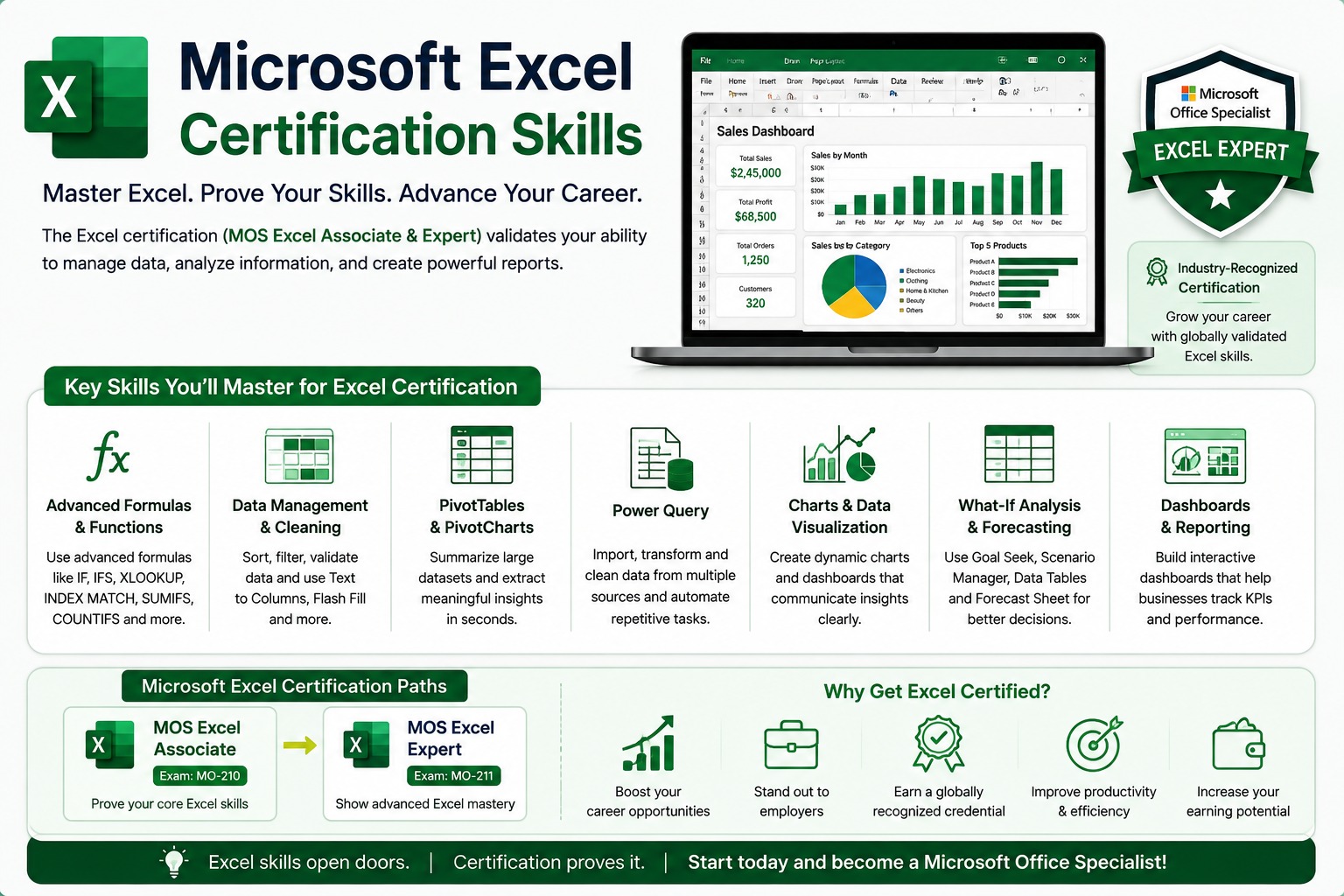
Microsoft Excel is one of the most widely used tools for business reporting, finance, operations, administration and data analysis. But knowing how to use Excel and having a recognized certification are two different things.
A Microsoft Excel certification provides formal validation of your Excel skills through a Microsoft Office Specialist (MOS) exam. For Microsoft 365 Apps, Microsoft currently offers an Excel Associate certification for intermediate-level skills and an Excel Expert certification for advanced Excel skills.
If you're considering Excel certification for a job, career change or professional development, the first step is understanding which certification matches your current skills.
What Is Microsoft Excel Certification?
Microsoft Excel certification is a professional credential that validates your ability to use Microsoft Excel effectively. The certification is earned by passing a Microsoft Office Specialist exam that tests practical Excel skills rather than simply confirming that you completed a training course.
Microsoft classifies the current Excel certifications under the Business User role. The Microsoft 365 Apps Excel Associate certification is listed at the intermediate level, while Excel Expert is an advanced certification.
This distinction is important.
An Excel course certificate usually shows that you completed training. A Microsoft certification shows that you passed Microsoft's certification assessment.
Which Microsoft Excel Certifications Are Available?
The current Microsoft 365 Apps pathway has two main Excel certifications: Excel Associate and Excel Expert. Microsoft also lists Excel certifications for Office 2019, so candidates should check the version and exam before registering.
| Certification | Exam | Level | Best for |
|---|---|---|---|
| Excel Associate | MO-210 | Intermediate | Core professional Excel skills |
| Excel Expert | MO-211 | Advanced | Advanced Excel users |
| Excel Associate – Office 2019 | MO-200 | Intermediate | Users working with Office 2019 |
| Excel Expert – Office 2019 | MO-201 | Advanced | Advanced Office 2019 users |
For someone starting today, it is important to check the current Microsoft Learn certification page rather than relying on older articles that may still focus on Office 2019. Microsoft's current Microsoft 365 Apps pages list MO-210 and MO-211.
What Is the Microsoft Excel Associate Certification?
Microsoft Office Specialist: Excel Associate (Microsoft 365 Apps) validates intermediate Excel skills. It is designed for candidates who understand the Excel environment and can perform common professional tasks involving worksheets, workbooks, cells, ranges, tables, formulas, functions and charts.
The current exam is MO-210.
Microsoft lists these core areas:
- Manage worksheets and workbooks
- Manage data cells and ranges
- Manage tables and table data
- Perform operations using formulas and functions
- Manage charts
Microsoft also recommends approximately 150 hours of instruction and hands-on experience with the product.
This makes Associate a reasonable target for someone who has moved beyond basic Excel and wants formal validation of their skills.
What Is the Microsoft Excel Expert Certification?
Microsoft Office Specialist: Excel Expert (Microsoft 365 Apps) validates advanced Excel skills. The current Expert exam is MO-211 and focuses on advanced workbook management, data formatting, formulas, macros, charts and tables.
Microsoft currently assesses four major areas:
| Exam area | Approx. weight |
|---|---|
| Manage workbook options and settings | 10-15% |
| Manage and format data | 30-35% |
| Create advanced formulas and macros | 25-30% |
| Manage advanced charts and tables | 25-30% |
The exam duration is 50 minutes, and Microsoft describes it as a proctored assessment that may include interactive components.
Microsoft recommends approximately 150 hours of instruction and hands-on experience for candidates preparing at this level.
Excel Associate vs Excel Expert: Which One Should You Choose?
Choose Excel Associate if you are developing professional Excel proficiency, and choose Excel Expert if you already work confidently with advanced Excel features.
| Excel Associate | Excel Expert | |
|---|---|---|
| Exam | MO-210 | MO-211 |
| Level | Intermediate | Advanced |
| Main focus | Core Excel features | Advanced Excel features |
| Formulas | Formulas and functions | Advanced formulas |
| Data | Cells, ranges and tables | Advanced data management |
| Charts | Charts | Advanced charts |
| Macros | — | Included |
| Duration | 50 minutes | 50 minutes |
| Experience | Practical Excel knowledge | Strong advanced Excel knowledge |
If you are unsure, don't choose Expert simply because it sounds better.
Your certification should match your actual skill level.
What Skills Do You Need for Excel Certification?
The skills you need depend on the certification level you choose. Associate candidates should be comfortable with everyday Excel tasks, while Expert candidates need stronger skills in advanced formulas, data management, macros and advanced charts and tables.
For a professional Excel learner, the broader skill set can include:
- Formulas and functions
- Data cleaning
- Tables
- PivotTables
- Charts
- Data validation
- Conditional formatting
- Advanced formulas
- Power Query
- Dashboards
- Macros and VBA
- Data visualization
One important distinction: not every professional Excel skill is necessarily an official MOS exam objective.
For example, Power Query and dashboards can be valuable workplace skills, but candidates should use Microsoft's current exam skills outline as the source of truth for what the certification actually assesses.
How Do You Get Microsoft Excel Certification?
You get Microsoft Excel certification by choosing the appropriate exam, preparing against its official objectives and passing the certification assessment.
A practical process is:
1. Check your current Excel level
Ask yourself:
- Can I use formulas without help?
- Can I work with tables and ranges?
- Can I create charts?
- Can I manage large datasets?
- Can I use advanced formulas?
- Can I work with macros?
2. Choose Associate or Expert
If you are still building core professional skills, Associate is usually the better starting point.
If you already use advanced Excel features regularly, Expert may be appropriate.
3. Check the current exam
For Microsoft 365 Apps:
MO-210 = Excel Associate MO-211 = Excel Expert
4. Review Microsoft's skills outline
Don't prepare from random lists of Excel questions.
Start with the official skills measured by Microsoft.
5. Practice in Excel
Certification preparation should involve actual hands-on work.
Build reports. Clean data. Create formulas. Work with tables. Create charts. Solve realistic business problems.
6. Take practice assessments
Practice helps identify gaps before the actual examination.
7. Schedule the exam
Microsoft provides the certification and scheduling information through its current credential pages, with Certiport referenced for students and educators.
8. Take the exam
The current Excel Associate and Expert assessments are 50 minutes and proctored.
How Much Does Microsoft Excel Certification Cost?
Microsoft currently lists $100 USD as the base price for the Microsoft 365 Apps Excel Associate and Expert exams, but the actual price depends on the country or region and applicable taxes. Microsoft also states that pricing can change.
For candidates in India, don't assume the US price converted directly into INR is your final exam fee.
Check the current Microsoft exam page before registering.
How Long Does It Take to Get Excel Certified?
The time required to prepare for Excel certification depends on your existing skills and how consistently you practice. Microsoft recommends approximately 150 hours of instruction and hands-on experience for its current Excel Associate and Expert certifications, but this should not be treated as a fixed number of study hours for every learner.
A practical approach is:
| Your current level | Focus |
|---|---|
| Beginner | Excel fundamentals first |
| Basic user | Core formulas, tables, charts |
| Intermediate | Exam objectives + projects |
| Advanced | Expert objectives + timed practice |
Don't measure preparation only in days.
Measure it by whether you can complete the required tasks independently.
Is Microsoft Excel Certification Worth It?
Microsoft Excel certification can be worth it when Excel is important to your target role and you want formal proof of your skills.
Excel is particularly relevant to roles involving:
- Finance
- Accounting
- MIS
- Operations
- Administration
- Sales reporting
- Marketing analytics
- Business analysis
- Data analysis
However, certification alone does not make someone an expert Excel professional.
A stronger profile combines:
Certification + practical skills + projects + work experience
Is Excel Certification Worth It for Jobs in India?
Excel certification can strengthen a job profile in India when the target role uses Excel heavily. It can be especially relevant for professionals working with reporting, MIS, finance, operations and business data.
But employers may still assess practical ability during interviews or assignments.
For example, an employer may care more about whether you can:
Clean a messy dataset → use formulas → build a PivotTable → create a dashboard → explain the result
than simply seeing “Excel Certified” on your resume.
That's why certification should be treated as proof of skill, not a replacement for skill.
What Should You Learn Alongside Excel Certification?
Excel certification is more valuable when you build complementary skills around it.
For a business professional:
Excel → Advanced Excel → Power BI
For an aspiring data analyst:
Excel → SQL → Power BI → Python
For an operations professional:
Excel → Power Query → Automation → Dashboarding
This approach makes your skills more useful in real workplace situations.
Common Excel Certification Mistakes
Preparing only from theory
MOS assessments are designed around practical application.
Studying outdated exam information
Older content may discuss Office 2019 exams such as MO-200 and MO-201. Microsoft's current Microsoft 365 Apps pathway uses MO-210 and MO-211.
Choosing Expert too early
Advanced certification is not automatically better if your fundamentals are weak.
Confusing a course certificate with Microsoft certification
Completing an Excel course and passing a Microsoft certification exam are different achievements.
Ignoring real-world practice
You should be able to use Excel confidently outside the exam environment.
Frequently Asked Questions
What is Microsoft Excel certification?
Microsoft Excel certification validates your ability to use Excel through a Microsoft Office Specialist certification exam.
What is the current Excel certification exam?
For Microsoft 365 Apps, the current Excel exams include MO-210 for Associate and MO-211 for Expert.
Is Excel certification difficult?
The difficulty depends on your experience. Expert certification requires substantially stronger Excel skills than Associate certification.
Can beginners get Excel certification?
Yes. Beginners can work toward certification after building the required Excel fundamentals and practical skills.
How much does Excel certification cost?
Microsoft currently lists a base price of $100 USD for the current Microsoft 365 Apps Excel exams, with regional pricing and taxes affecting the final amount.
How long does Excel certification take?
Preparation time varies. Microsoft recommends approximately 150 hours of instruction and hands-on experience for its current Associate and Expert Excel certifications.
Is Microsoft Excel certification worth it?
It can be useful when Excel is important to your career and you want formal validation of your skills.
What is MO-210?
MO-210 is the Microsoft Excel Associate exam for Microsoft 365 Apps.
What is MO-211?
MO-211 is the Microsoft Excel Expert exam for Microsoft 365 Apps.
Can I learn Excel before taking certification?
Yes. Building practical Excel skills before taking the exam is strongly recommended.
Is an Excel course certificate the same as Microsoft certification?
No. A course certificate normally confirms course completion, while Microsoft certification requires passing the relevant Microsoft certification exam.
Which is better: Excel Associate or Excel Expert?
Associate is better for developing intermediate professional skills. Expert is designed for candidates with advanced Excel proficiency.
Final Takeaway
Microsoft Excel certification can be a useful way to validate your Excel skills, but the certificate should come after the skills not before them.
If you're starting from the basics, build a strong Excel foundation first. Then progress into advanced formulas, data analysis, dashboards and automation based on your career goals.
For Microsoft 365 Apps, the current pathway gives you two clear Excel options:
MO-210 → Excel Associate MO-211 → Excel Expert
If you want to build job-ready Excel skills before pursuing certification, structured Advanced Excel training can help you move from basic spreadsheet work to practical business reporting, analysis and automation.
This topic is covered in the Advanced Excel with AI course. Sessions are live, practical and taught with real business data — a natural next step if this article matches what you are working on.